TinkMail Product Update: June 2026 – Infrastructure, Security, and Business Foundations
The past six months have been the fastest growth period we've seen at TinkMail. More accounts, more mail, more traffic — and with that, new challenges that only show up at scale. We've been recommended and referenced by more external websites and communities than ever before, and each week brings new users who found us through word of mouth. It's the kind of growth every product hopes for, and it keeps us busy — happily busy.
Most of what shipped in this cycle was pushed by the people using TinkMail every day. A bug report, a feature request — each one became a fix or an improvement.
To summarize the 2.8.x release line, we invested in three areas that matter most: hardening the infrastructure so mail keeps flowing, tightening security to stay ahead of abuse, and building proper foundations for business workspaces. Here's what we delivered.
Join the growing community. Sign up for free → or explore business capabilities →.
Delivering Mail, Reliably
As mail volume grew, edge cases that were once rare became common. We fixed several of them:
- Outbound retry strategy — the MTA retries deliveries intelligently when remote servers are temporarily unreachable, reducing bounces from transient failures.
- Smarter envelope routing — mail delivery now uses envelope recipients for authoritative targeting, eliminating edge cases where messages were routed to the wrong mailbox.
We also strengthened anti-spam capabilities with better authentication tagging, catching suspicious incoming mail before it reaches your inbox. And for those using desktop mail clients, the new IMAP MOVE command makes moving messages between folders faster and more reliable.
Business Workspaces, Built for Growth
Business workspaces grew alongside the rest of the platform. This cycle we gave them real structure:
- Dashboard statistics give business admins real-time metrics — member count, domain status, and sending activity at a glance.
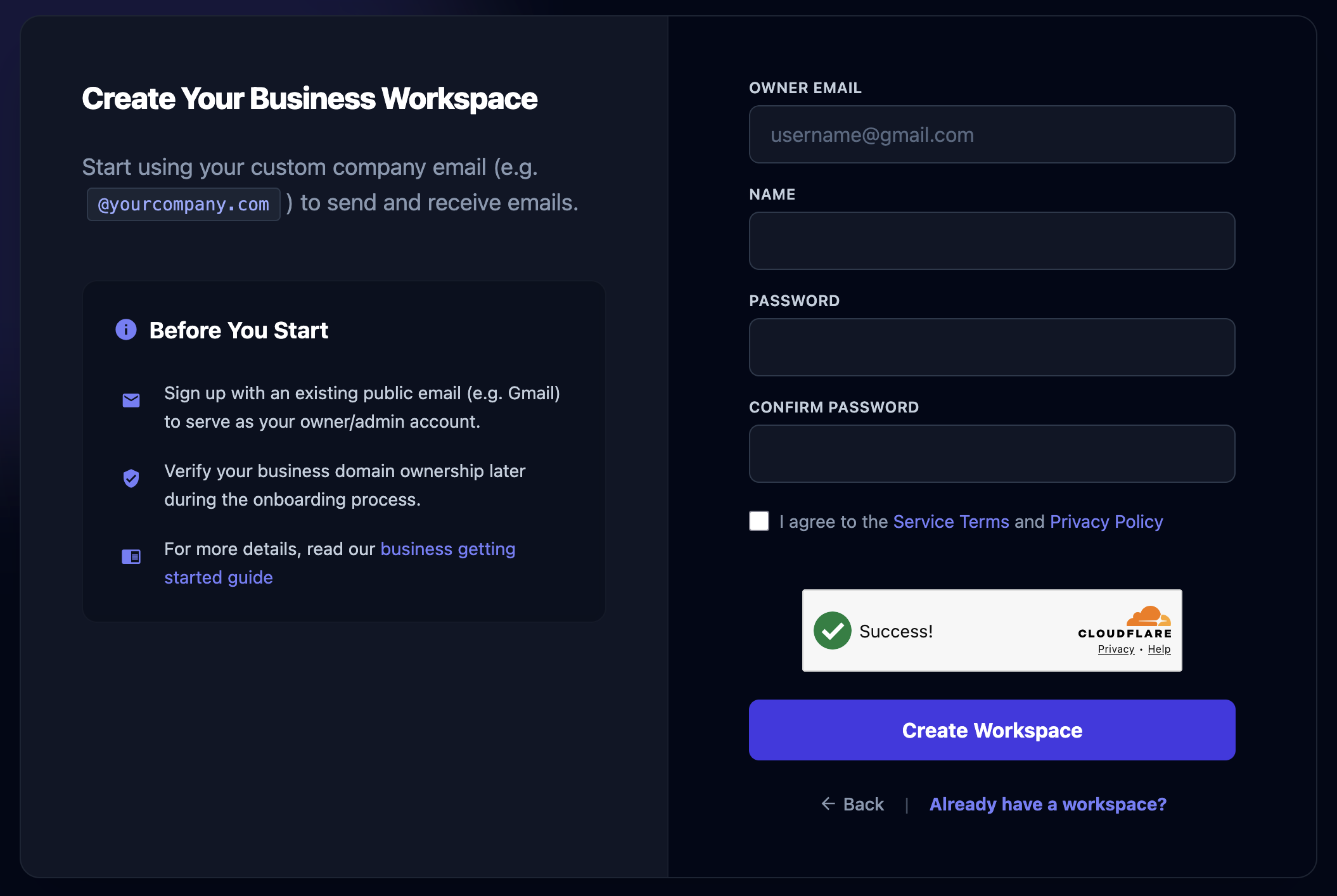
- Refactored sign-in and sign-up flows with cleaner UI, better error messages, and proper redirect handling when things go wrong.
- Expanded documentation covering business essentials, onboarding resources, and email setup guides, so teams can get up and running faster.
Infrastructure That Self-Heals
The biggest change this cycle is invisible unless something goes wrong — and that's exactly the point. We migrated production services (MTA, MDA, IMAP, SMTP, web, and schedules) to a more robust infrastructure. Services now self-heal when they fail, roll out updates without downtime, and scale more gracefully under load.
We also built a Backup MDA — a redundant Mail Delivery Agent that operates independently of the primary infrastructure. If the main system is down, or when it needs maintenance, inbound mail keeps flowing without interruption.
Monitoring was another major investment. From databases and message queues up through the application layer, we now have comprehensive alerting that catches issues before they affect users. Combined with improved error capturing and reporting on both the client and server side, we can identify and resolve problems faster than ever.
Security, Layered
A growing platform attracts more than just legitimate users. We added several layers of protection this cycle:
- Cloudflare Turnstile blocks automated sign-up bots before they reach our registration form — no CAPTCHAs required.
- Account confirmation requires new users to verify their email, reducing abuse at the source.
- Rate limits were tuned separately for personal and business accounts, giving businesses the throughput they need while keeping the platform stable for everyone.
Multi-factor authentication (TOTP with recovery codes) has been available since our last update. If you haven't enabled it yet, now is a good time.
Polishing the Experience
Beyond the big themes, we shipped improvements that make daily use more pleasant:
- The inbox view was optimized for mobile devices — reading and managing mail on smaller screens is now significantly more comfortable.
- Documentation pages now support mobile layouts with functional sidebar overlays and horizontally scrollable tables.
We also have fixed many minor bugs and edge cases across the board, we can only list a few here, but every fix contributes to a smoother experience.
What's Next
The 2.8.x cycle was about strengthening the foundation. Infrastructure that can grow with us, security that stays ahead of threats, and business tools that match the ambition of our workspace customers.
We'd be lying if we said the past six months weren't intense. More users means more feedback, more edge cases, more things to fix — and that's exactly the problem we want to have. Every bug report, every feature request, every "hey, have you thought about..." — they all land in front of us, and we act on them. That's not going to change.
If something isn't working the way it should, or there's something you're waiting for, tell us. We'll be busy — but we'll be happy about it.
For details on everything that shipped in 2.8.x, check out the changelog →.